Your site as the content source
Sitemap import reads up to 2,000 pages, keeps the ones your rules allow, and turns them into posts in the order you choose — newest first, sitemap order, or shuffled.
Website in, calendar out
MeetPublish reads your sitemap, turns each page into a post written in the tone you set, crops the image for every network and places it on your calendar. Nothing goes out until you approve it.
One calendar, published to every network you already run
Three steps
Paste the address. We read the sitemap and list every page — services, products, journal entries, landing pages — with its title, description and image.
Each page becomes a post in the tone you choose and the language you pick, with hashtags and an image cropped for every network it goes to.
Everything waits in review. Approve from the calendar and MeetPublish publishes at your posting slots — or turn on the planner and it keeps the next fortnight filled.
What you get
Sitemap import reads up to 2,000 pages, keeps the ones your rules allow, and turns them into posts in the order you choose — newest first, sitemap order, or shuffled.
Ten tone presets, target length, emoji level, hashtag count and formal or informal address. Add your own rules and they override the preset.
One idea, eight outputs. Length, hashtags, calls to action and image crops follow each network's rules, and any network can carry its own text.
Month, week and list views, colour by state, drag to reschedule, labels for campaigns, and posting slots so nothing lands at the same hour.
When the same page comes round again, the previous posts go into the prompt with an instruction to take a different angle — so a repeat never reads like a copy.
Approved posts and AI writing are counted separately, both shown in the top bar. When a ceiling is reached the queue pauses and says why, instead of quietly spending more.
Inside the product
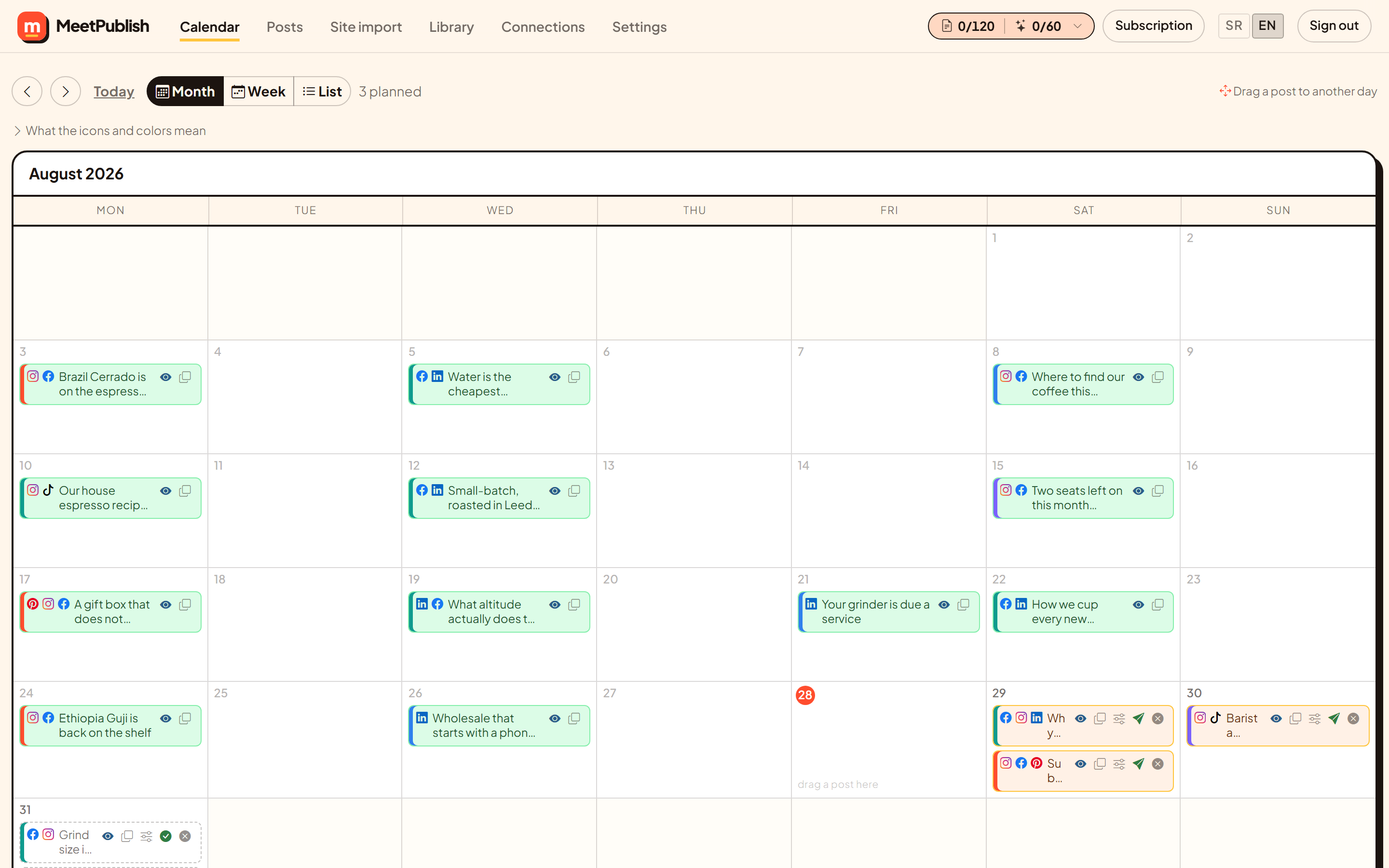
These are real screens from MeetPublish, not illustrations. A coffee roastery connected its website; this is the month that came out of it.
Month, week and list views. Each post shows the networks it goes to before the text, so a glance is enough. Drag a post to another day and the slot moves with it.
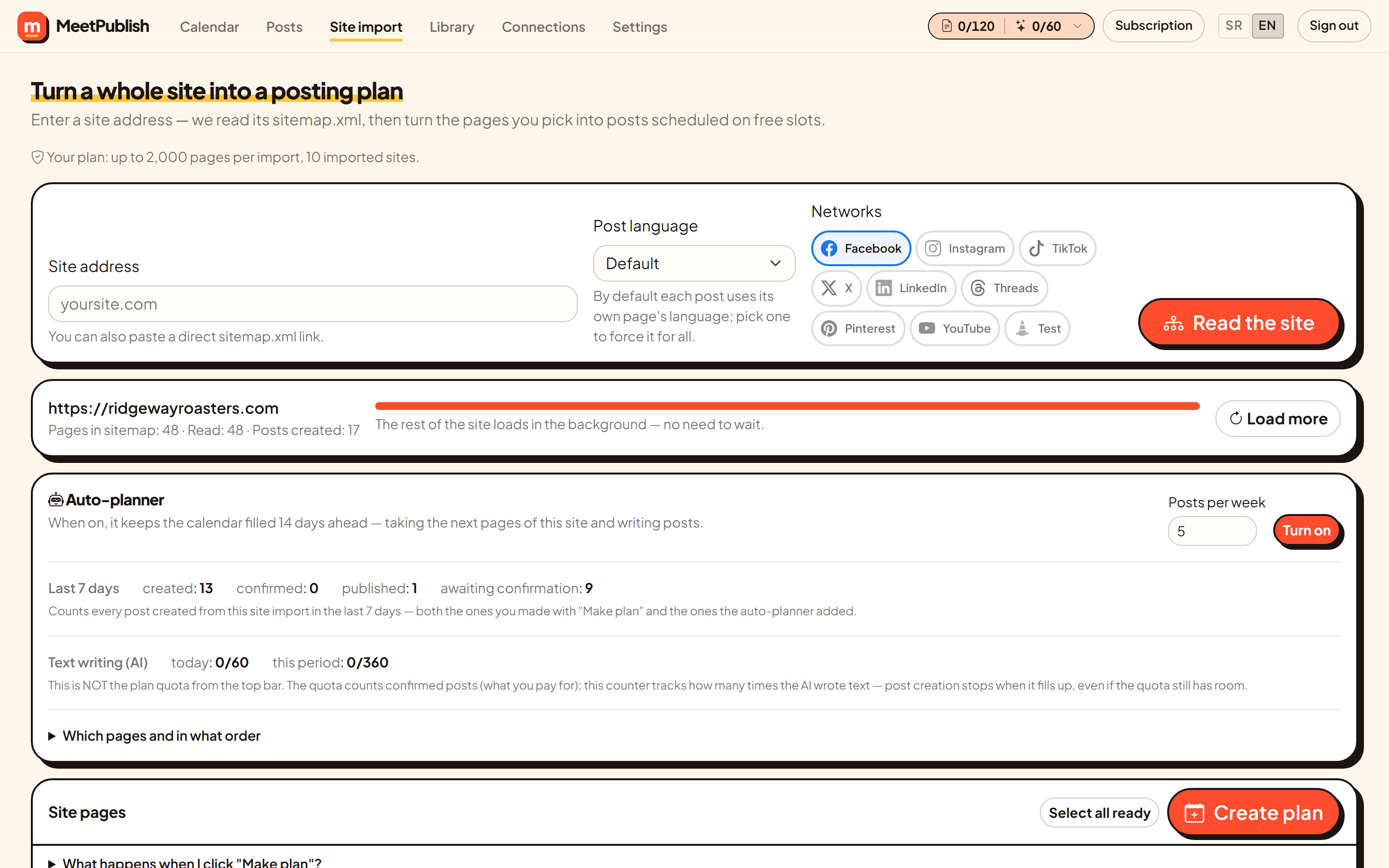
Give us the address. We read the sitemap, list every page and pull the title, description and image from each one. The first thirty load immediately; the rest arrive in the background.
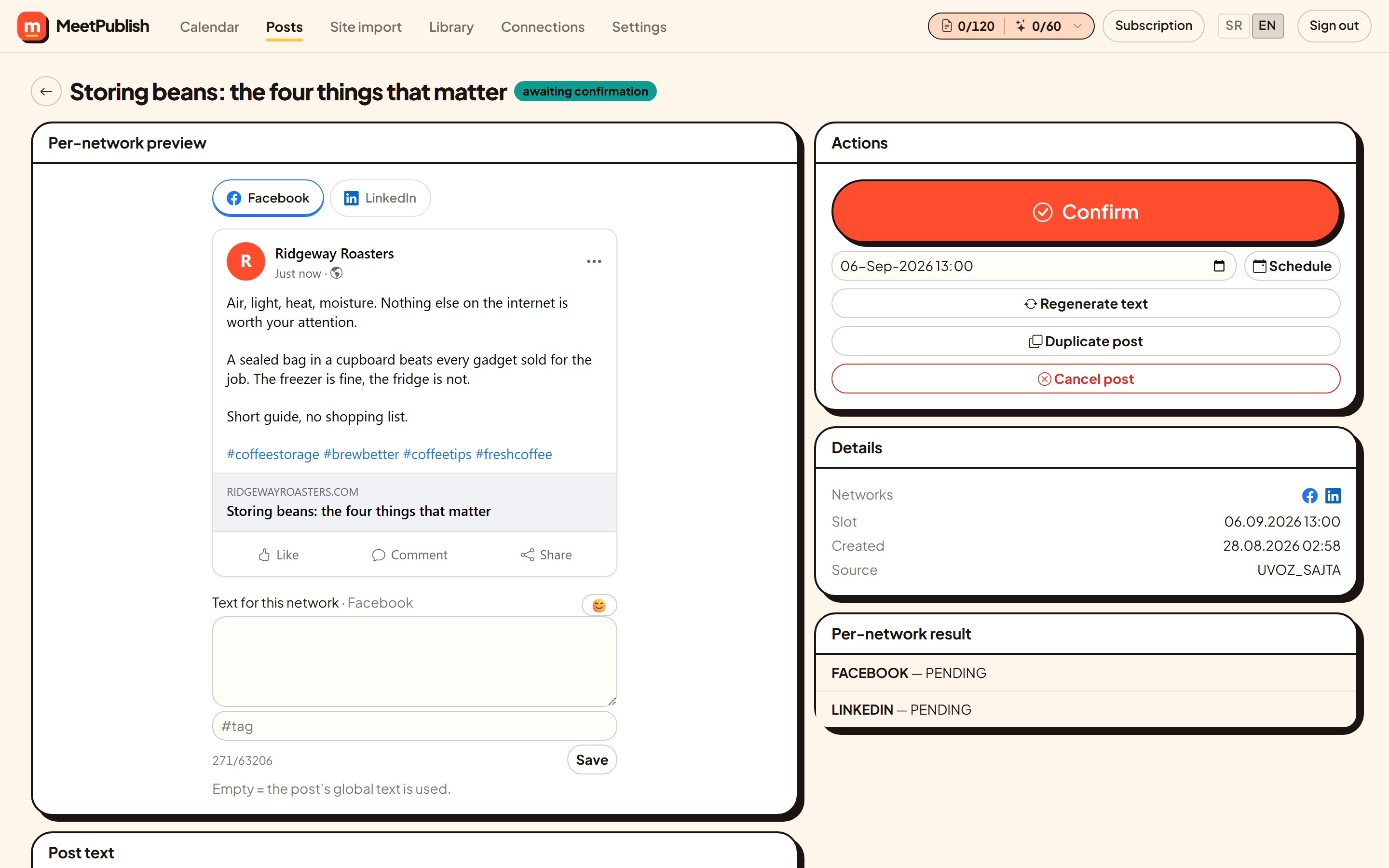
Facebook link cards, the Instagram crop, the LinkedIn wrap, the X character count. Switch tabs to check every network before anything goes out.
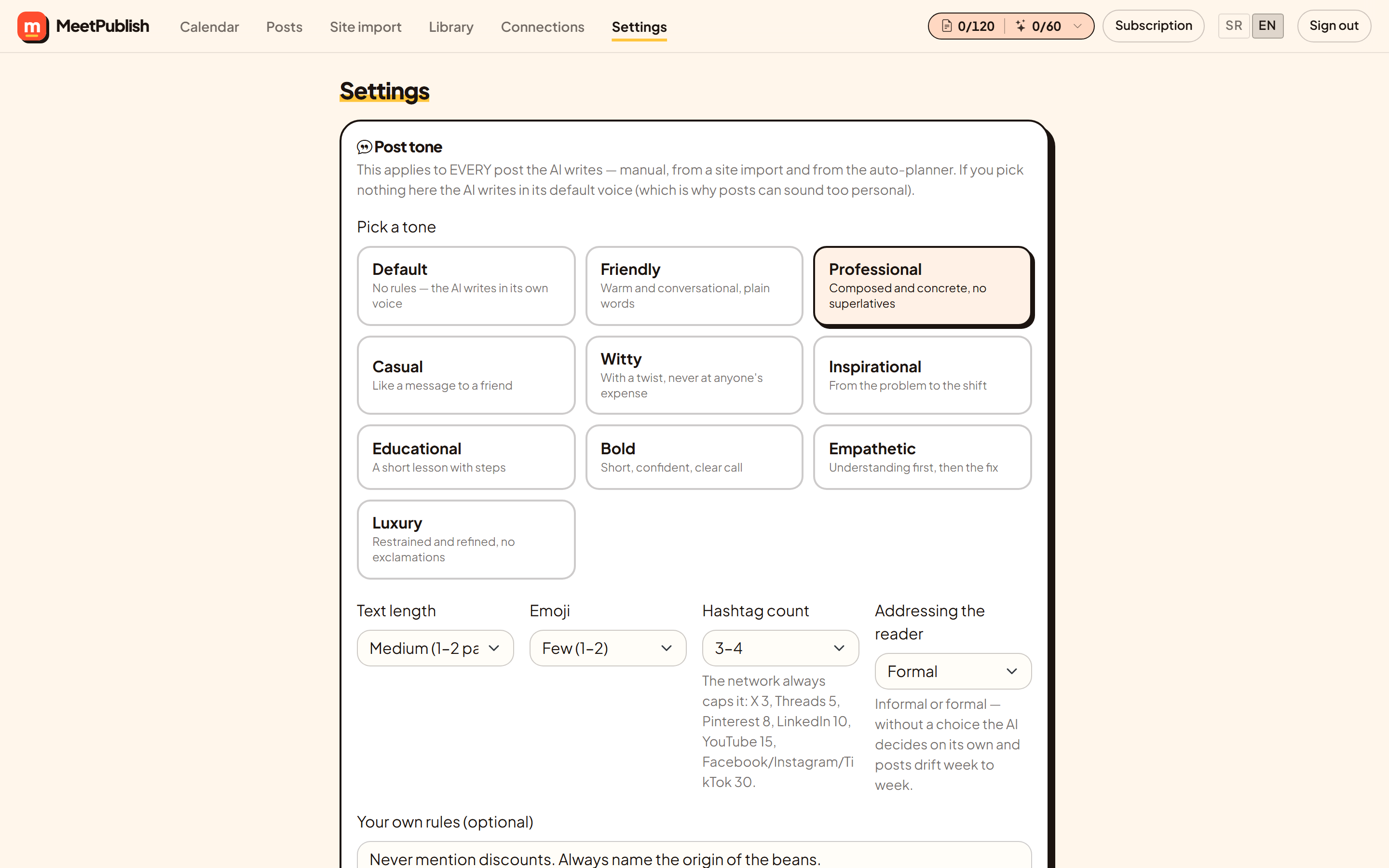
Pick a tone, a length, how many emoji and how many hashtags, and whether the writing addresses the reader formally or informally. Every post follows it — written by hand, imported from your site or added by the planner.
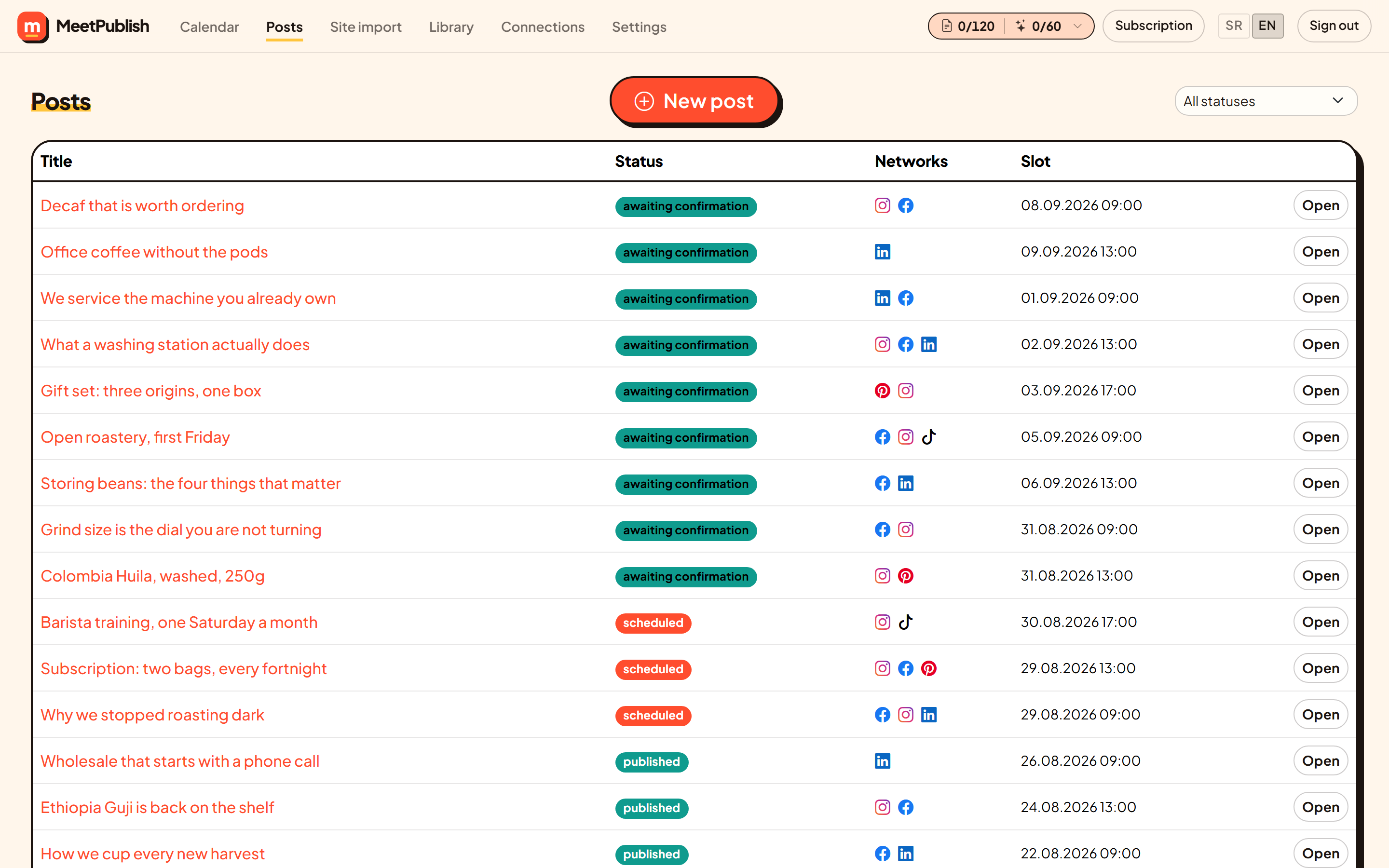
Filter by state, open any post, edit it, duplicate it or cancel it. Thirty per page, so a busy month stays readable.
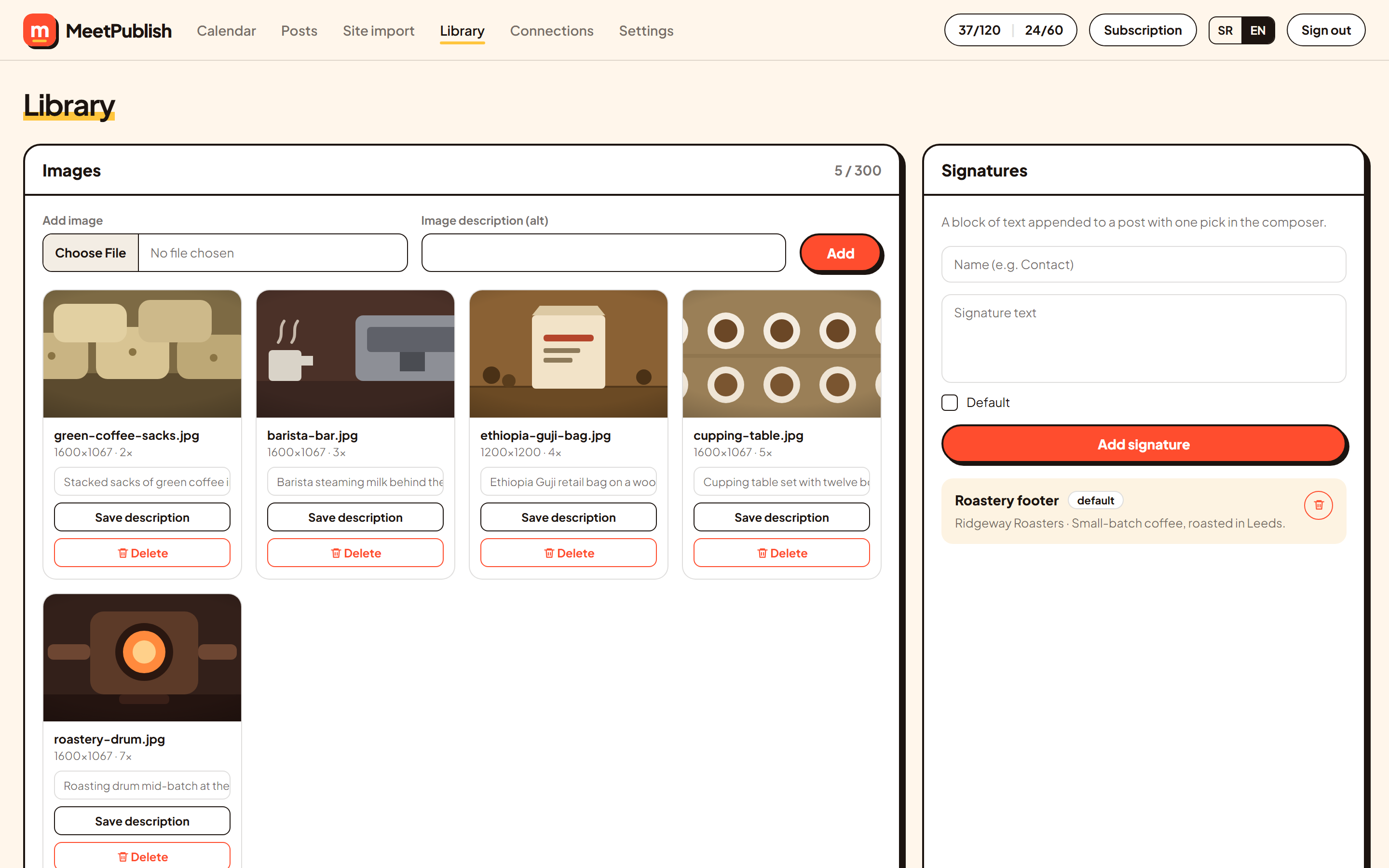
Upload once, use anywhere. Every image carries its alt text, and a signature can be appended to every post automatically.
Control
Automatic publishing is only useful if it cannot surprise you. MeetPublish is built so the worst case is a paused queue, never a bill you did not expect or a post you never read.
Every post the AI writes lands in review. Approval is one click, and it is always yours to give. Auto-publish exists, but it is off until you turn it on.
Your plan counts approved posts — that is what you pay for. A second counter tracks how often the AI wrote text, including drafts you never approve. Both sit in the top bar with an explanation of what each one means.
Daily and per-period ceilings, a cap on how many drafts can wait for approval, and a limit on pages per import. When one fills up the queue pauses and tells you why. It resumes on its own once there is room.
Make a plan once from the pages you select, or let the auto-planner keep the next fortnight filled at the rhythm you set. Both go through the same limits, so automation cannot get around anything.
Who it is for
If your site has services, products or a journal on it, the content for a month of posting is already written. MeetPublish turns it into posts instead of asking you to start from an empty box. Size does not matter — the same flow works for one person and for a team of thirty.
From a one-person studio to a company with several departments. Point MeetPublish at your site once, set the tone, and approve a batch a week. The pages that sell your work become the posts that promote it — the same way whether you have five pages or five hundred.
Several brands or product lines, each with its own workspace, tone and calendar. Approval stays with the person who owns the brand, and nothing goes out without it.
One calendar the whole team reads, with posting slots so campaigns do not collide. Drafts wait for approval, per-network text is edited in one place, and every publish reports back per network.
A separate workspace per client, each with its own site import, tone, channels and calendar. Spending is counted per client, so a retainer stays a retainer.
Every category and product page is a post waiting to be written. The image is cropped to the right shape for each network, so a product photo does not come out with the label cut off.
You are the whole marketing department. A month of posting planned in one afternoon, published on schedule while you do the work people actually pay for.
FAQ
Connect the accounts you post to, give us your website address, choose a tone, and approve the posts. Everything between those steps — reading the pages, writing the text, cropping the image, picking the slot — happens without you.
No. Every post the AI writes waits in review until you approve it. There is an auto-publish switch for people who want it, and it stays off until you turn it on yourself.
Posts you approve. A draft you read and reject costs you nothing from the quota. There is a second counter for AI writing, shown next to the quota in the top bar, so you can always see both numbers.
The queue pauses and tells you which limit it hit — the daily one, the period one, too many drafts waiting, or the plan quota. Nothing is lost: the pages stay queued and the queue continues once there is room, or the next day.
That is the default. One post goes to every network you selected, with the length, hashtag count, call to action and image crop adjusted for each. Any network can also carry its own text if you want to change one of them.
Paste a direct link to any sitemap.xml and we will read it. If the site has none at all, you can still write posts by hand and use everything else — the calendar, the tone settings, the per-network previews and scheduling.
No. When a page has been posted before, the earlier texts go into the prompt with an instruction to change the hook, the structure and the examples, and to take a different angle on the same subject.
Three. Each connected account is one channel. Every plan includes all eight networks, so what differs between plans is how many posts you approve per month, not which networks you may use.
In the app, under Subscription. Cancellation takes effect at the end of the month you have already paid for, with no penalty and no exit fee. Billing is handled by our payment partner (Merchant of Record), who also issues the invoices and processes refunds.
Start today
Eight networks on one screen, every post read by you before it goes out, and a calendar that fills itself. Free to start, no card, cancel whenever.